

Description
Download Azul Seguros APK – car insurance, mobile insurance, insurance policy, insurance app, Azul Seguros, policy management, assistance services, incident reporting, payment tracking, digital insurance
Overview
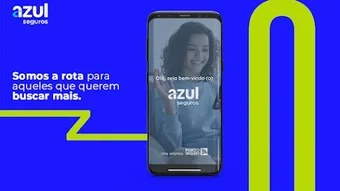
Azul Seguros is a mobile application designed to simplify the management of car insurance policies for users on the Android platform. The app serves as a digital companion for policyholders, offering instant access to essential insurance information such as coverage details, policy terms, and assistance services. It is particularly useful for individuals seeking a convenient way to monitor and manage their insurance needs directly from their smartphones. The target audience includes car owners who want real-time access to their insurance data, especially those who value quick responses during emergencies.
The app enables users to report incidents such as accidents, theft, flood, or fire directly through the interface, streamlining the claims process. It also supports tracking payment status, generating and sharing digital copies of payment slips and barcodes, and managing login credentials securely. With biometric login capabilities, users can access their accounts quickly and safely. Azul Seguros is available in both Spanish and Portuguese, making it accessible to a broader audience in Latin America and Portugal. The developer, Azul Seguros, has positioned the app as a core tool for modern, on-the-go insurance management.
Key Features & Capabilities
- Policy Information Access – View detailed coverage, policy terms, and expiration dates directly from the app.
- 24-Hour Assistance Services – Request immediate help for towing, locksmith services, mechanical breakdowns, and tire replacement with just a few taps.
- Incident Reporting – Report accidents, theft, flood, fire, and other covered events directly through the app to initiate the claims process.
- Payment Tracking – Monitor payment status and receive notifications about upcoming or overdue premiums.
- Digital Document Management – Generate, view, and share the second copy of payment slips and barcodes with ease.
- Biometric Login – Securely access the app using fingerprint or facial recognition for faster and safer authentication.
- Broker Contact Access – Retrieve contact details for your assigned insurance broker for direct communication.
These features are designed to enhance user convenience and reduce dependency on physical documentation or phone calls. For example, a driver involved in a roadside breakdown can quickly request towing assistance without searching for a phone number. Similarly, users can verify their payment status before renewal, helping avoid lapses in coverage. The app’s ability to store and share digital payment documents supports both personal organization and communication with third parties.
User Interface, Workflow & Performance
The user interface of Azul Seguros is structured around simplicity and functionality, prioritizing quick access to critical features. Navigation is intuitive, with a main dashboard displaying key actions such as incident reporting, assistance requests, and payment status. Menus are organized logically, allowing users to switch between policy details, documents, and support services with minimal effort. The workflow for reporting an incident or requesting help is streamlined, requiring only a few taps to complete.
Performance observations are based on general software behavior patterns. The app operates within the Android ecosystem and is designed for mobile devices with standard processing capabilities. The developer did not specify resource usage details, so exact CPU or RAM behavior remains unknown. However, the app’s size of 29.6 MB suggests a lightweight footprint, likely contributing to efficient operation on mid-range devices. Stability is expected to be consistent with typical Android applications of similar scope, though real-world performance may vary depending on device hardware and network conditions.
Compatibility & System Requirements
Azul Seguros is compatible with Android devices running the specified version, though the exact minimum OS requirement was not listed. The app is available for download on the Android platform and has a file size of 29.6 MB. Installation is straightforward, with no reported dependency on external tools or frameworks. The developer did not provide additional system requirements, so users should ensure their device meets general Android compatibility standards for app installation.
Hardware requirements are not specified in the provided information. However, given the app’s focus on basic policy management and assistance services, it is likely optimized for devices with standard processors, at least 2 GB of RAM, and sufficient storage space. The lack of detailed system specifications means users should rely on standard Android compatibility checks when installing the app. Compatibility information was partially provided.
Pros and Cons
Pros
- Free to download and use, with no hidden costs.
- Supports biometric login for secure and fast access.
- Offers 24-hour assistance services directly from the app.
- Enables instant incident reporting and claims initiation.
- Facilitates digital management of payment slips and barcodes.
- Available in both Spanish and Portuguese for wider accessibility.
- Lightweight size (29.6 MB) suitable for most Android devices.
Cons
- Only available for Android, limiting access for iOS users.
- Exact system requirements were not listed, which may cause installation issues.
- Performance details such as CPU or RAM usage were not disclosed.
- Limited to car insurance management; no support for other insurance types.
- No information provided about offline functionality or data sync behavior.
FAQ Section
Is Azul Seguros available for iOS devices?
Currently, the app is only available for Android. There is no official version for iOS devices.
Is the app safe to use?
Azul Seguros is developed by a recognized insurance provider and includes biometric login for secure access. The app follows standard security protocols for mobile applications.
How often are updates released?
Update frequency is not specified. Users should check the app store for the latest version.
What type of license does the app use?
The app is distributed as free software with no subscription or usage-based fees.
Can I use Azul Seguros offline?
Information about offline functionality was not provided. The app may require an internet connection for full operation.
Final Thoughts
Azul Seguros delivers a focused, user-friendly solution for managing car insurance policies on Android. Its core strengths lie in quick access to policy data, immediate assistance services, and streamlined incident reporting. The inclusion of biometric login enhances security, while the free model makes it accessible to a wide audience. Although the app is limited to Android and lacks detailed system specifications, its lightweight design and practical features make it a valuable tool for policyholders seeking convenience and efficiency. For individuals who rely on their smartphones for daily tasks, Azul Seguros offers a reliable way to stay in control of their insurance needs. Download Azul Seguros now.
Guides & Tutorials for Azul Seguros APK
How to install Azul Seguros APK
- Click the Preview / Download button above.
- Once redirected, accept the terms and click Install.
- Wait for the Azul Seguros APK download to finish on your device.
How to use Azul Seguros APK
This software is primarily used for its core features described above. Open the app after installation to explore its capabilities.
User Reviews for Azul Seguros APK 0
No reviews found





